Privacy Shield - Your phone's bodyguard
See which apps can use your camera, microphone, location and messages, in plain words. Check for hidden spy apps, find out which app turned on the camera or mic, block any app from the internet and see which apps eat your data. Everything runs on your phone.
Early build for Android, installed directly from this site, with all free features. The Google Play version, with the optional Pro upgrade, is coming soon.
- Platform
- Android 8.0+
- Version
- 1.2.2 · 3.0 MB
- Internet
- No internet permission
- Package
com.nimbulyapps.privacyshield
How it works
Scan, understand, fix
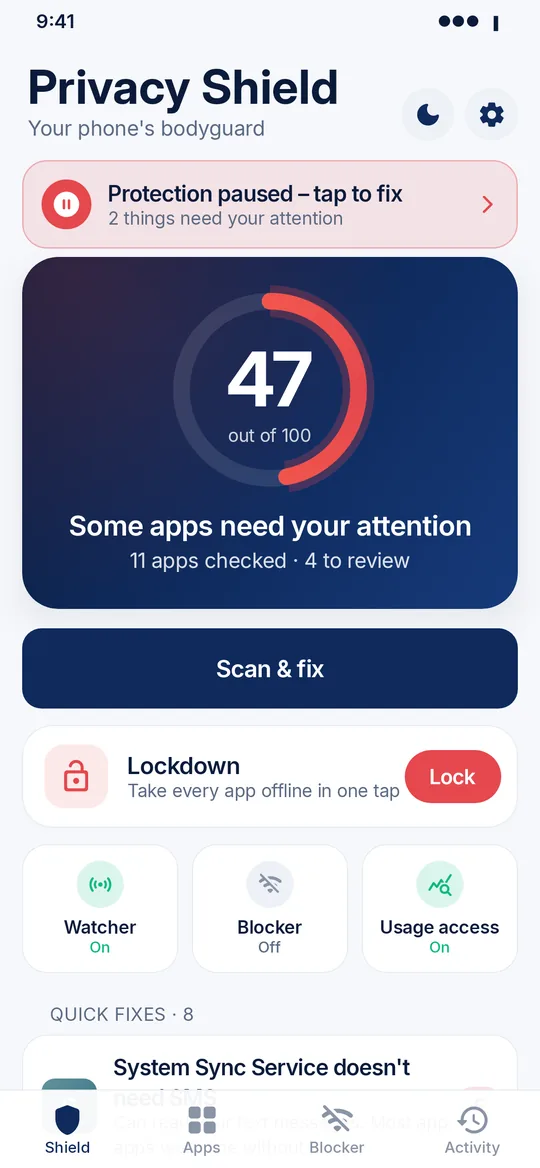
One score for your whole phone, a clear grade for every app, and a button next to every problem.
Find out
- Open the app. It checks every installed app in seconds.
- See your phone's privacy score out of 100, then tap Scan & fix for quick fixes.
- Run "Am I being spied on?" for a deeper check.
Stay protected
- Tap Fix to jump straight to that app's Android settings.
- Turn on the live watcher for camera and mic alerts.
- Block apps from the internet, or tap Lockdown to take everything offline at once.
Features
What's in version 1.2
New: Lockdown
One big button (also a Quick Settings tile and a widget button) takes every app offline except the ones you always allow, such as WhatsApp, phone and SMS apps. It starts the camera and mic watcher and shows you Android 12+'s camera and mic switches. Tap again and everything goes back exactly as it was. Smart bedtime can run Lockdown every night.
New: What this app knows about me
A plain-words story for each app, plus one for your whole phone. It's built only from what's on your phone: permissions, last use, camera and mic events, background data and location level. Share it as an image card with only the lines you pick.
New: Pro upgrade
Live alerts, the full 90-day timeline, Night Guard, Smart bedtime, an unlimited blocker with presets, data usage history, the widget and tiles, and a PDF report. Everything is free for the first 3 days. After that, Pro is sold only in the Google Play version (coming soon), and the APK on this site keeps the free features: scan, grades, spy check, fixes, Lockdown and blocking up to 3 apps.
New: Urdu & Hindi
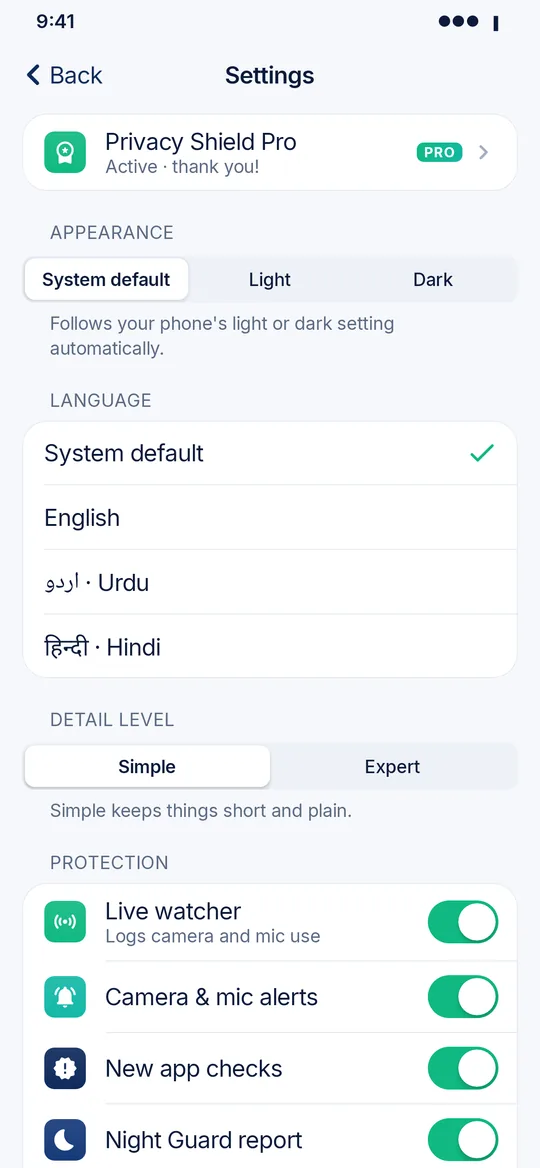
Fully translated, with right-to-left layout for Urdu. The app follows your phone's language, or you can pick one in Settings.
New: Light, dark or system theme
Choose System default, Light or Dark in Settings, or use the quick toggle on the home screen. The change applies instantly.
New: Why this grade?
Every grade comes with the points behind it, so you can see what counts against an app. Access that's normal for its type of app counts less.
New: Simple or Expert mode
Simple keeps things short. Expert shows package names, risk points and every detail. You can also trust an app's camera or mic use to silence its alerts, and see each app's permission history.
New: Helpful guides
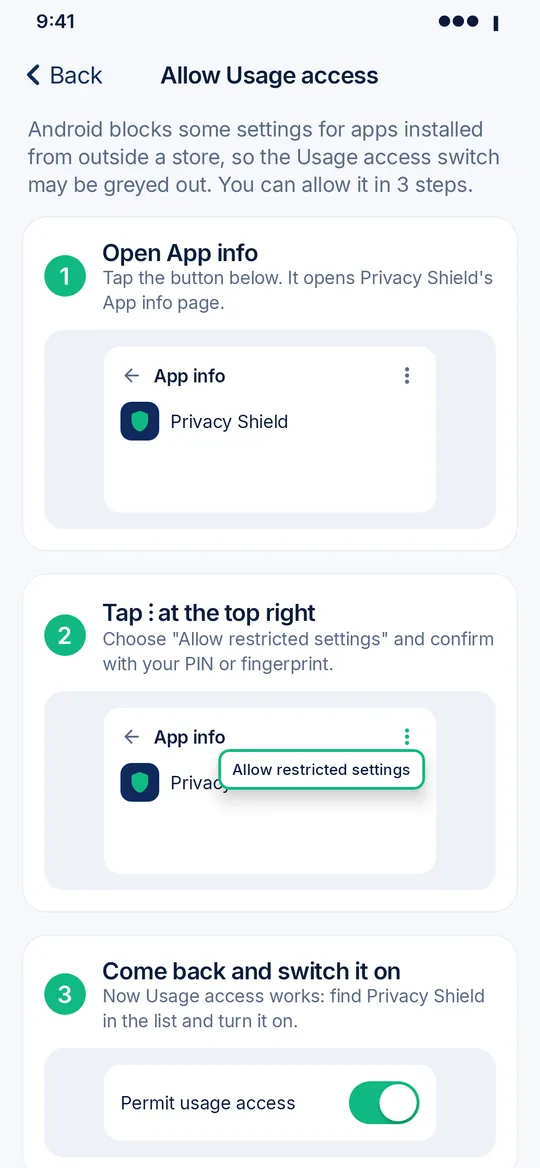
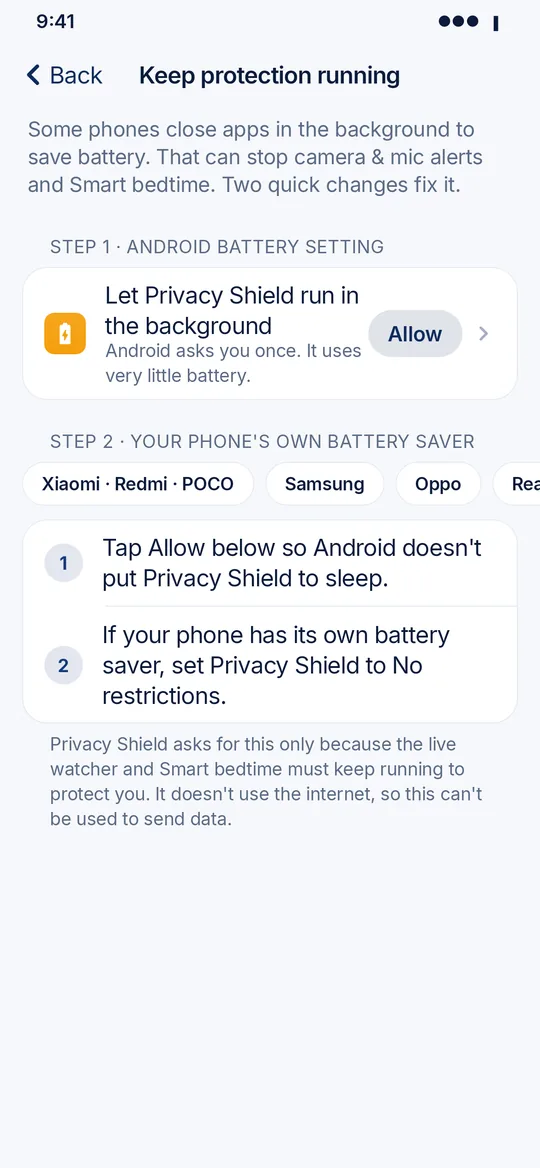
A 3-step guide for Android's "restricted settings" on APK installs, plus battery-saver steps for Xiaomi, Samsung, Oppo, Realme, Vivo, Huawei and OnePlus. Home shows "Protection paused, tap to fix" if Android stops the watcher.
Internet Blocker
Stop any app from going online, on Wi-Fi, mobile data or only in the background. It runs on your phone only using Android's VPN feature: no server, and nothing is sent anywhere.
Data usage
Wi-Fi and mobile data for each app, heaviest first. Apps that use lots of data in the background are flagged.
Every app, graded A to F
What each app can access, in plain words, where it was installed from, and an "Is this normal?" tip for its type of app. Scan & fix lists one-tap fixes.
Am I being spied on?
A deep check that compares your apps with a built-in list of known stalkerware and looks for hidden apps, admins, screen and notification readers, and disguised names.
Camera & mic watcher
Logs every camera and mic use in an on-device timeline, with night use marked. Pro adds live alerts that name the app, and the Night Guard morning report.
No internet, no account
The app still has no internet permission at all. Scans, the timeline, data usage, stories and reports never leave your phone.
Screenshots
A closer look
Scroll sideways to see more
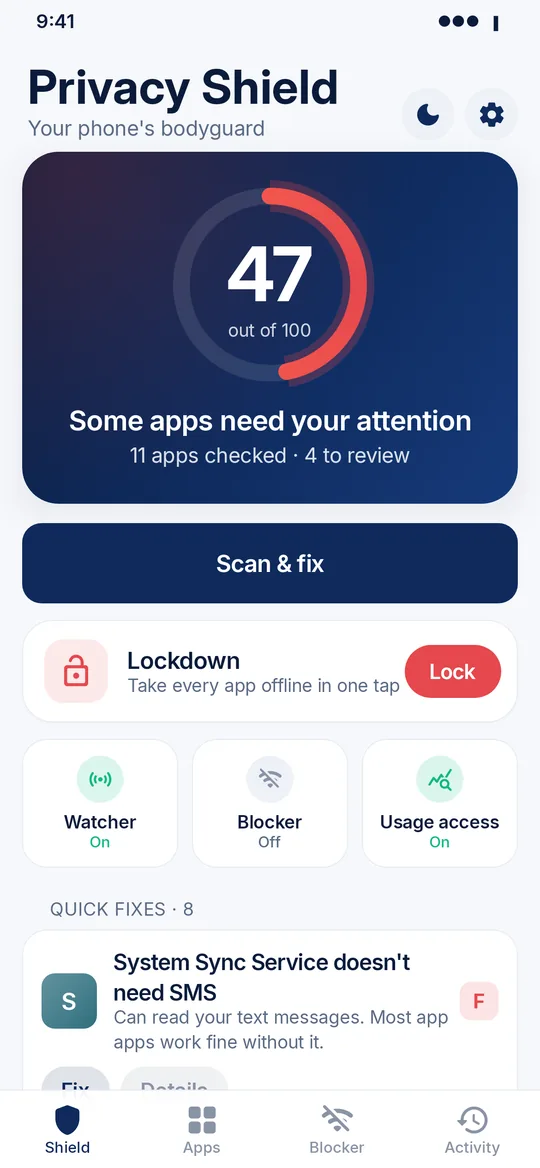
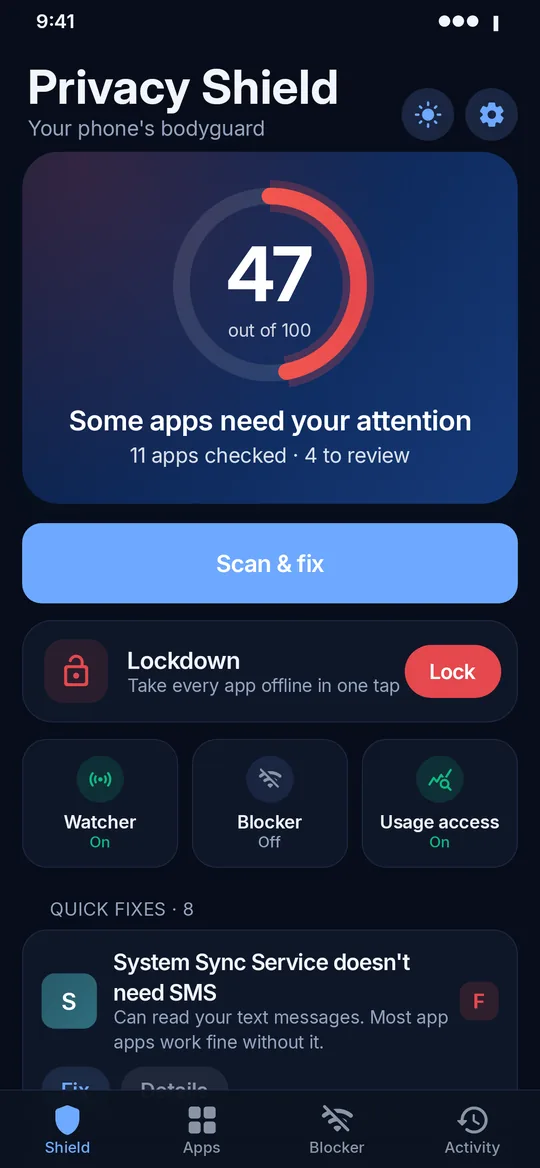
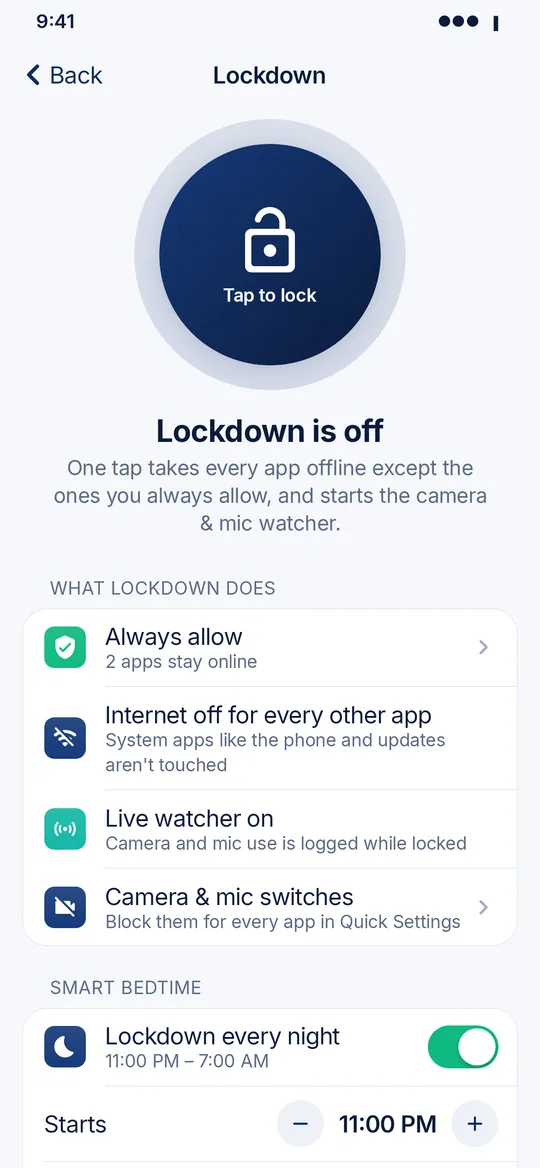
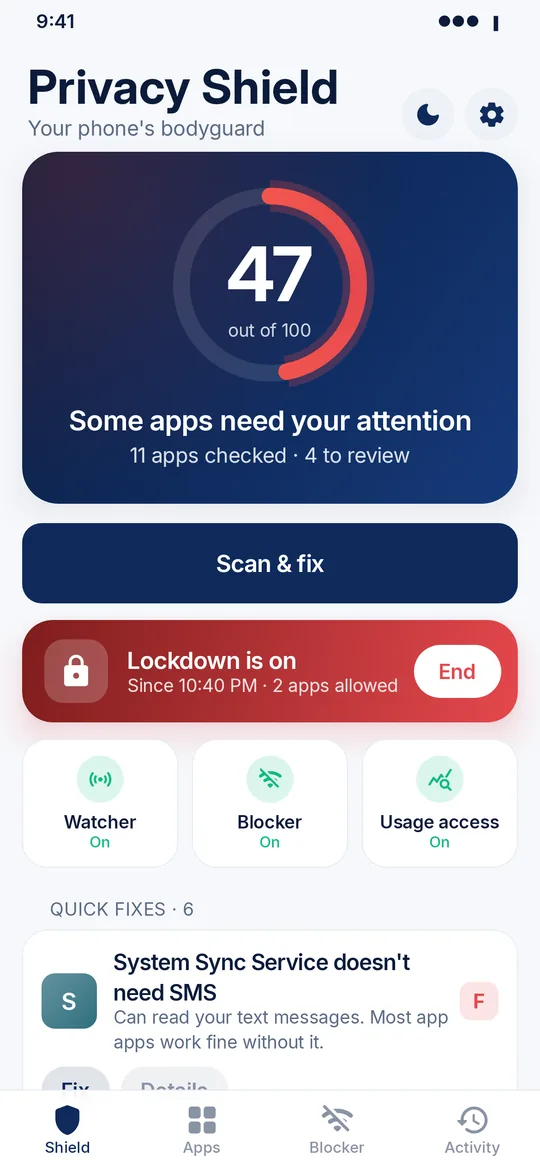
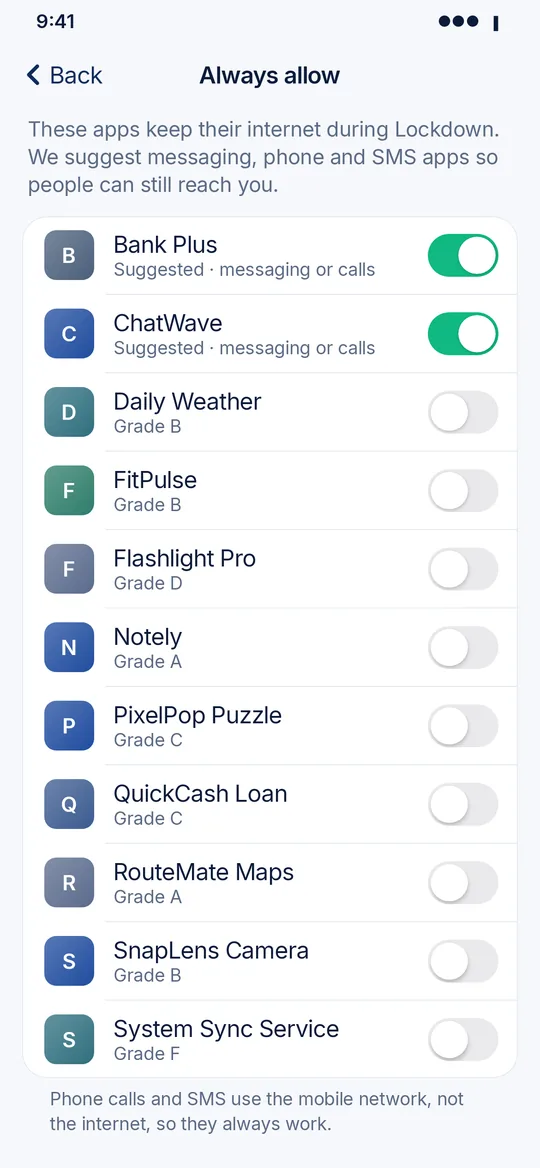
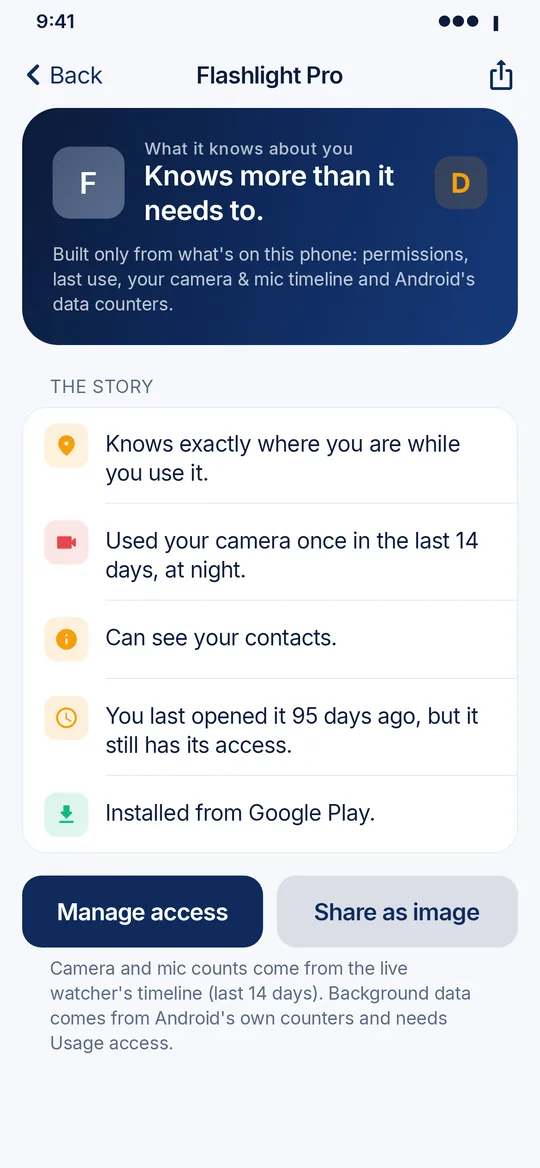
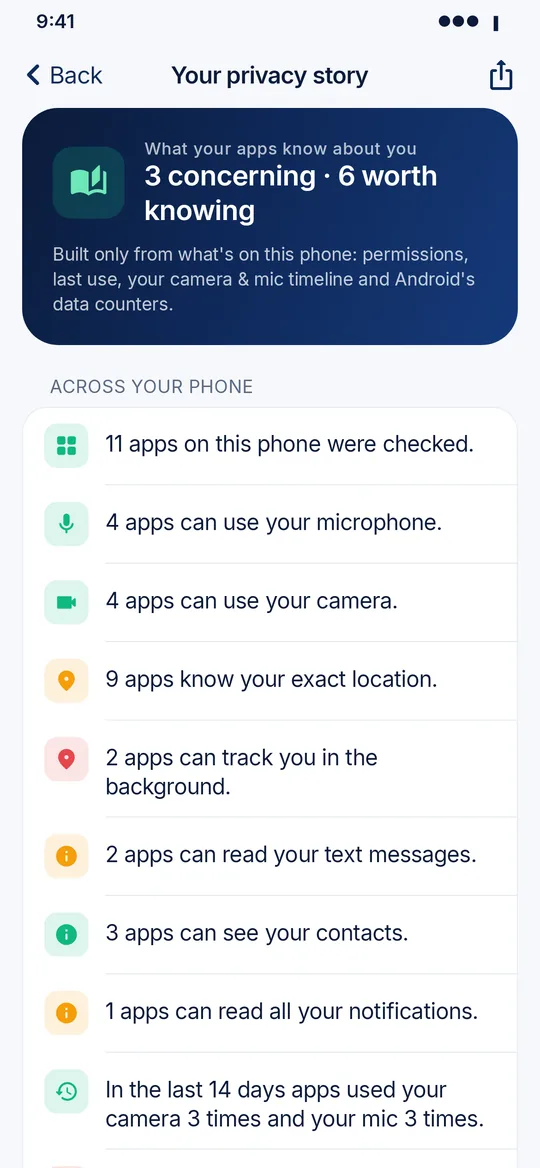
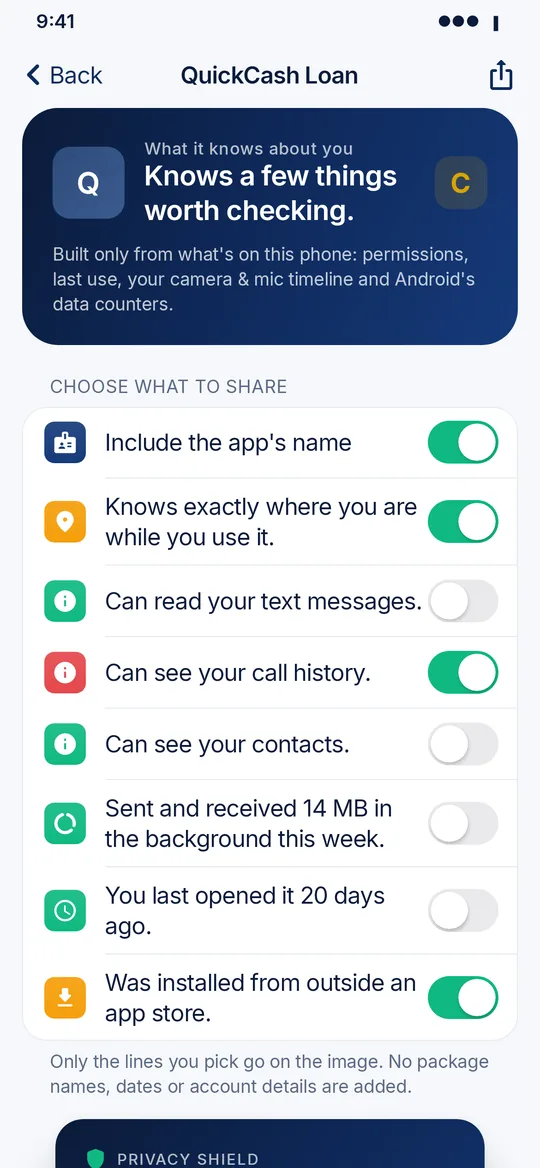
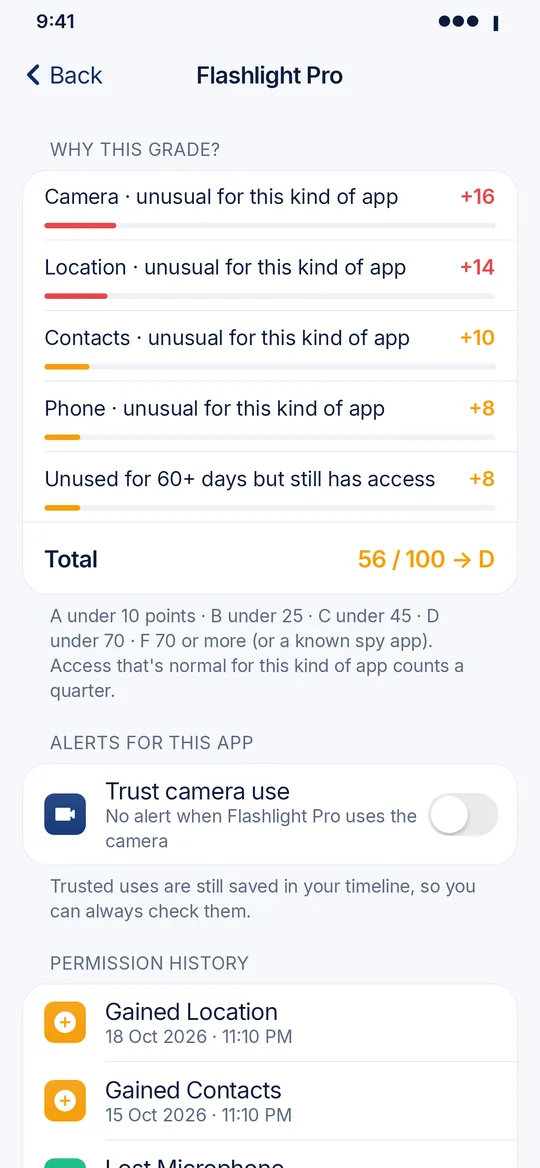
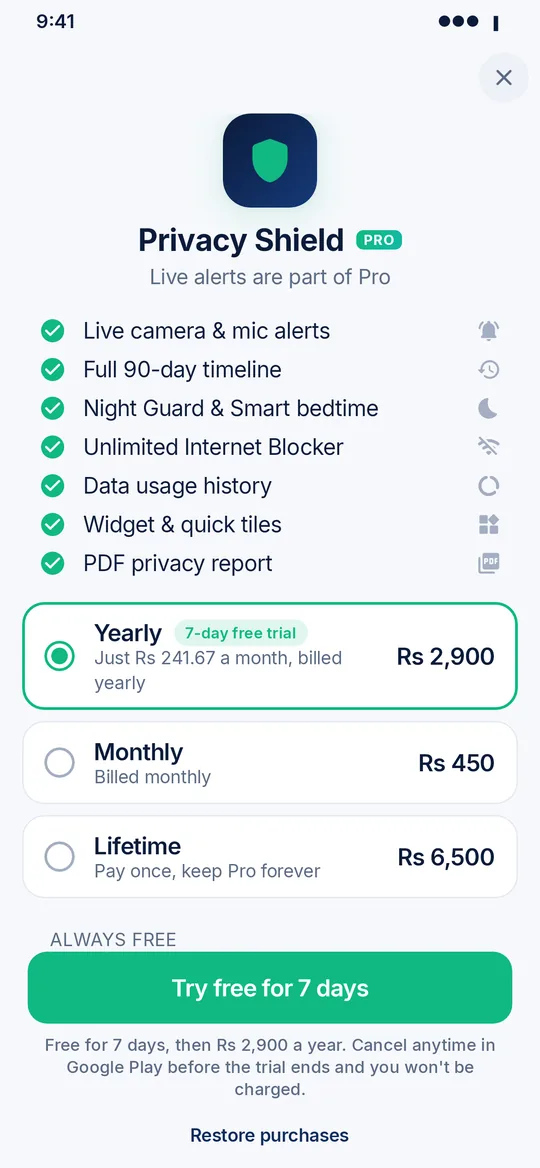
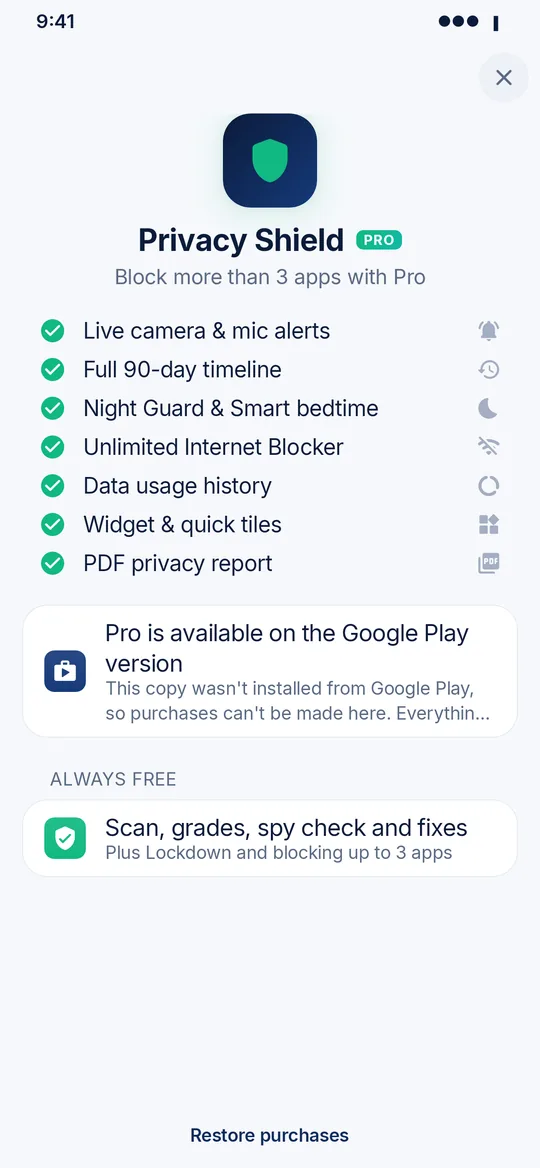
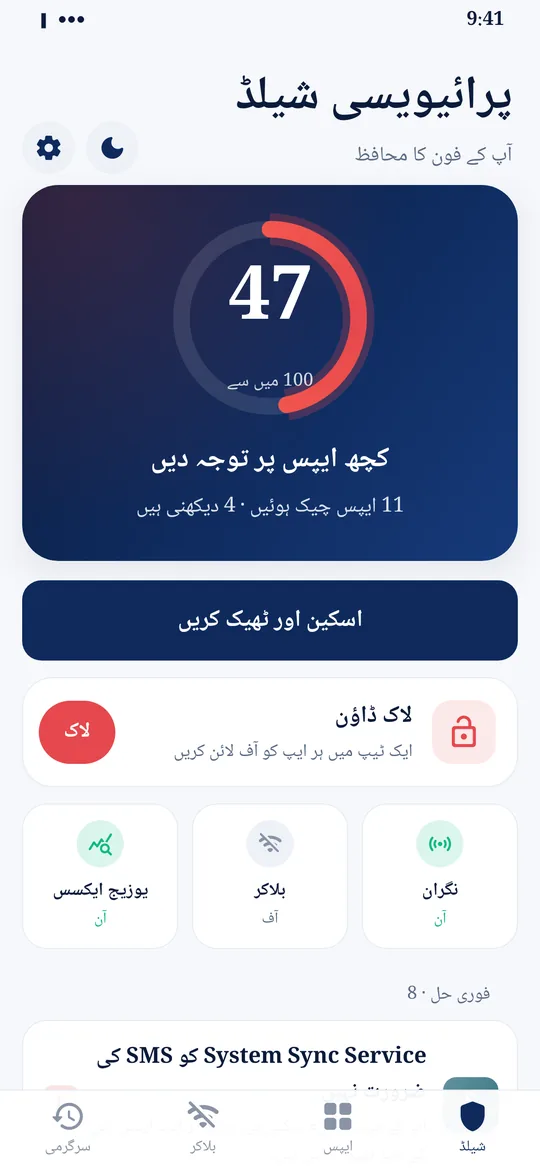
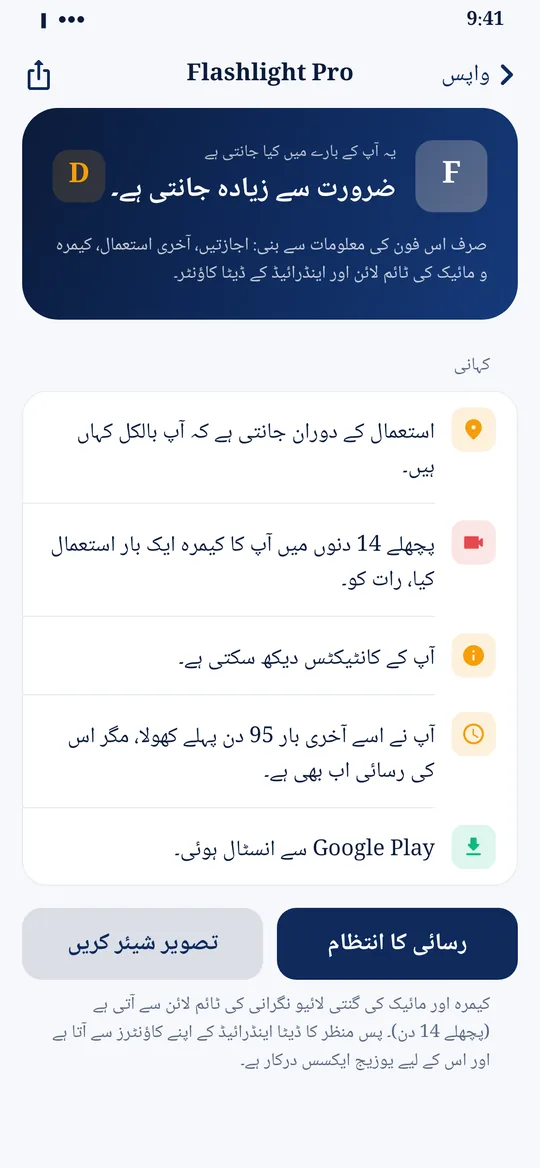
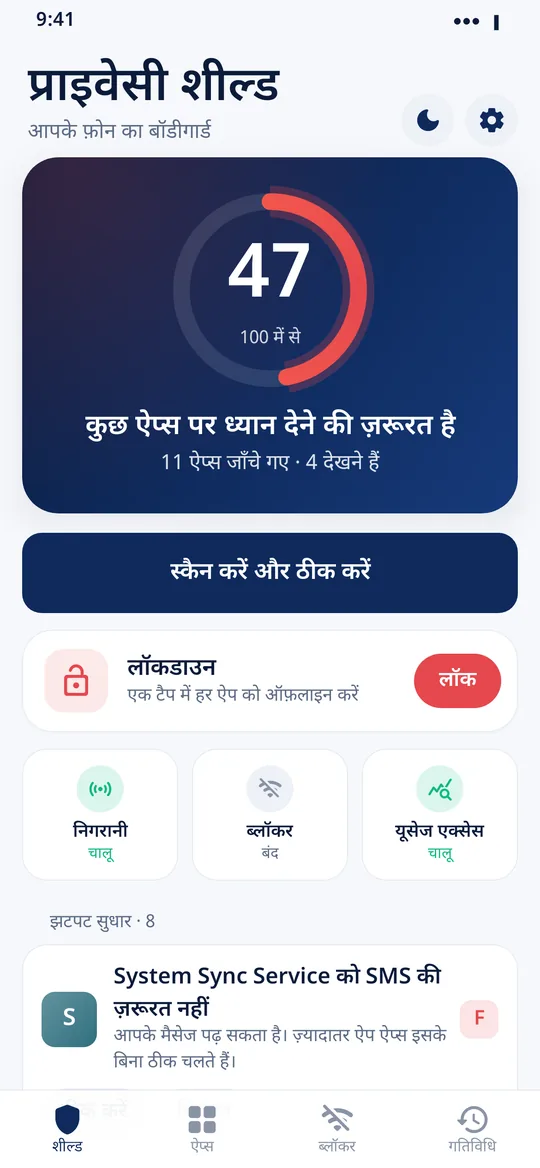
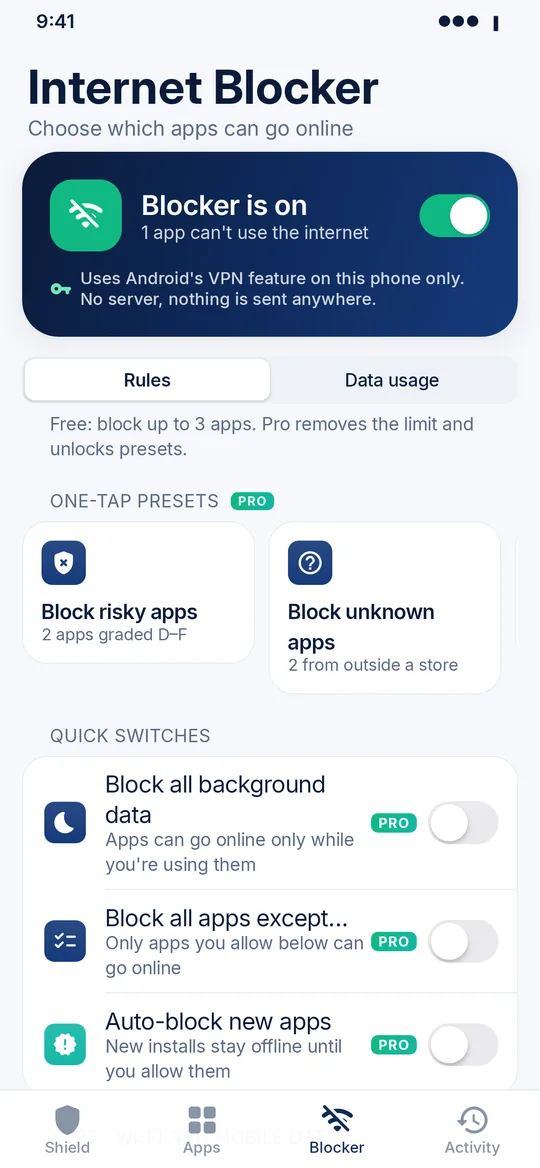
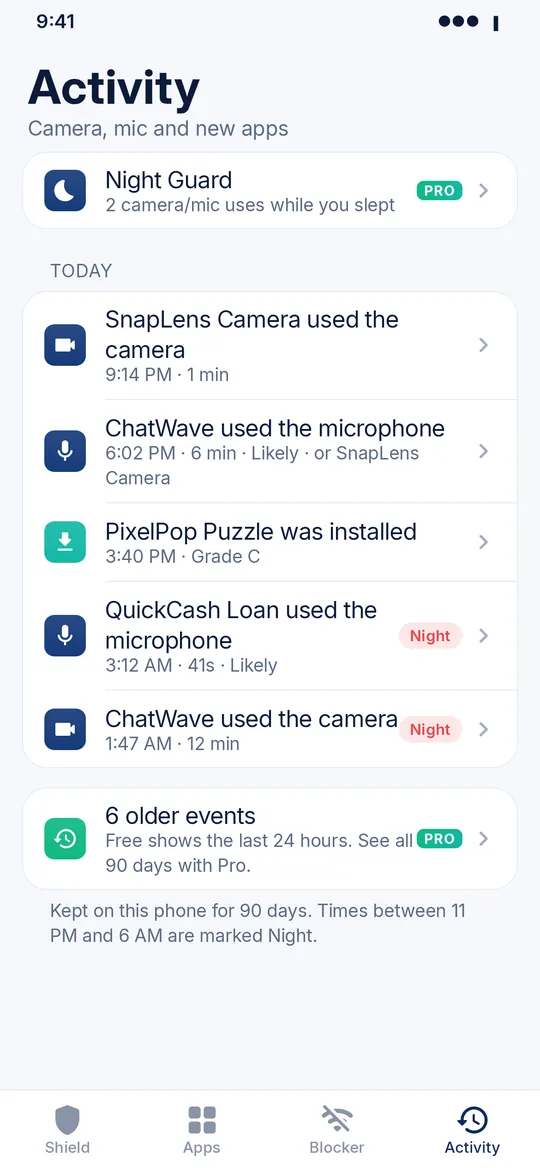
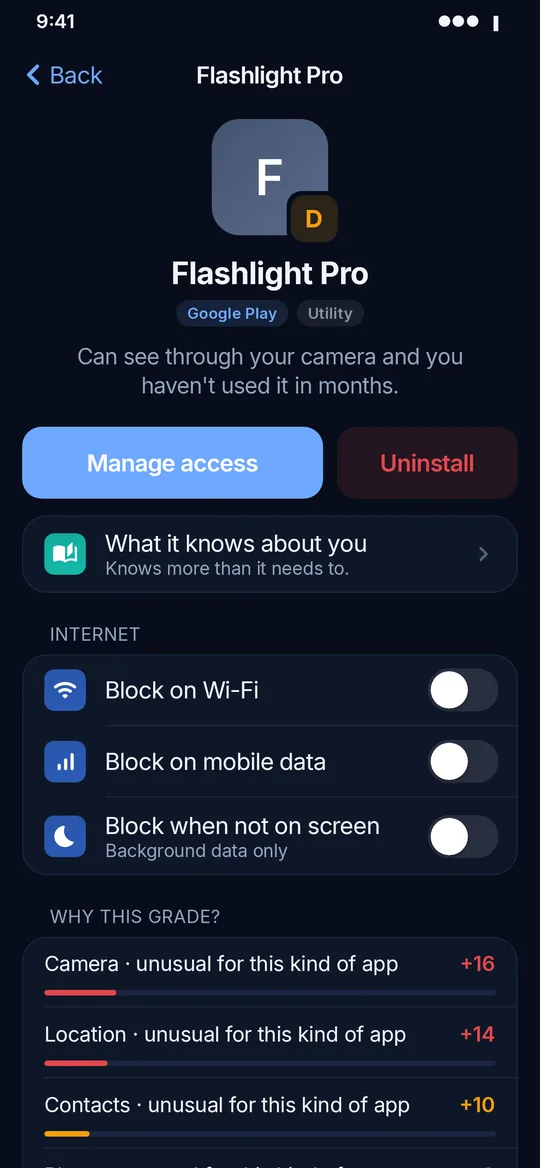
Screenshots show sample data and made-up example apps. Prices on the Pro screen are examples; real prices come from Google Play.
Privacy
A privacy app that keeps your data private
No internet permission
The app can't send anything anywhere. Scans, alerts and your timeline stay on the phone. The Internet Blocker runs on the phone with no server.
No account, no ads
No sign-in, no ads, no analytics and no trackers.
No Accessibility
The app never reads your screen, messages, photos or files.
Honest results
No fake virus warnings. When we can't be sure, the app says so.
Can it turn off all permissions with one button?
No app from the Play Store can take permissions away from other apps; only Android itself can. Privacy Shield takes you straight to the right settings page for each app, and Lock down walks you through them one by one.
How does it know which app is using the camera or mic?
Android tells apps when the camera or microphone becomes busy, but not exactly which other app opened it. With Usage access on, Privacy Shield looks at which app was on screen or had just started a foreground service at that moment, among apps that are allowed to use the camera or mic. Without Usage access, the alert asks you to allow it so it can show which app.
Why does an alert say "likely" or "probably"?
Because Android doesn't reveal the exact app, Privacy Shield works it out from what was happening at that moment. When only one app fits, it names it plainly. When it's a strong guess, it says "likely" or "probably". When it can't tell, it says so instead of guessing. Check the timeline and the app's permissions if a "likely" app surprises you.
Why is there a key (VPN) icon in my status bar?
That's the Internet Blocker. Android shows a key icon whenever an app uses its VPN feature. Privacy Shield's "VPN" is local: only apps you blocked are routed into it, and their traffic is simply dropped on your phone. There is no VPN server, nothing is sent anywhere, and the content of traffic is never read or logged. Turn the blocker off and the icon goes away.
Can I use the Internet Blocker with another VPN?
No. Android allows only one VPN at a time, so turning on another VPN switches the blocker off (the app tells you). Also don't turn on Android's "Block connections without VPN" for Privacy Shield, or apps you didn't block may lose internet too.
Where do the data usage numbers come from?
From Android's own data counters, which the app reads with Usage access. It only sees totals per app (Wi-Fi, mobile, foreground, background), never what was sent. Numbers can lag a few minutes.
Is the spy check proof that an app is spyware?
No. It looks for strong warning signs and compares app names with a built-in list of known stalkerware. A match or a High risk verdict means "look at this now", not legal proof. New spy apps may not be on the list yet. If you feel unsafe, talk to someone you trust before removing anything.
Can it check an app before I install it?
Only partly. To keep everything on your phone, the app doesn't contact Google Play, and an app's exact permissions can only be read after it's installed. Share the Play link and Privacy Shield checks it automatically the moment it's installed.
When do new-app alerts arrive?
Instantly while the live watcher is on. Otherwise Android lets the app check for new and updated apps about every 6 hours.
Can it see "Remove permissions if unused" for each app?
Android doesn't share that setting with other apps. The Unused apps screen lists apps you haven't opened in 60+ days that still hold access, with a button to their settings page.
Why does it need to see all installed apps?
Checking every app is the core of the app. The list is read on your phone only and never sent anywhere.
Usage access is greyed out. How do I turn it on?
On Android 13 and later, Android blocks some settings for apps installed from outside a store, like this APK. To allow them: 1) open Settings › Apps › Privacy Shield (App info), 2) tap ⋮ at the top right and choose "Allow restricted settings", then confirm with your PIN or fingerprint, 3) go back to Usage access and switch on Privacy Shield. If you don't see the option, try opening Usage access once first. The app has a picture guide for this, and the Google Play version doesn't need this step.
Why does it ask to ignore battery optimization?
Some phones close apps in the background to save battery, which can stop the camera and mic watcher and Smart bedtime. Privacy Shield asks Android once to leave it running, and has steps for Xiaomi, Samsung, Oppo, Realme, Vivo, Huawei and OnePlus battery savers. It uses very little battery, and since the app has no internet permission, staying awake can't be used to send data.
What's free and what's Pro?
Every feature, Pro included, is free for your first 3 days (counted from the first launch of 1.2.1, so people updating from an older version get a fresh 3 days too). The app shows how long you have left, for example "Full access: 2 days left". After that, the free features stay free with no time limit: scan, grades, spy check, fixes, Lockdown, the app stories and the Internet Blocker for up to 3 apps. Pro features lock and the app shows the purchase options: monthly, yearly or once for life. Pro covers live camera and mic alerts, the full 90-day timeline, Night Guard, Smart bedtime, an unlimited blocker with presets and auto-block, data usage history, the widget and tiles, and the PDF report. Purchases go through Google Play only. The APK on this site can't take payments, so to buy Pro you'll need the Google Play version (coming soon).
Does Lockdown block calls and SMS?
No. Calls and SMS use the mobile network, not the internet. Apps on your Always allow list keep their internet, and system apps are never touched. Lockdown uses the same local Internet Blocker, so another VPN app will turn it off.
Which Android versions are supported?
Android 8.0 (Oreo) and later. The global camera and mic switches need Android 12 or later.
Download
Privacy Shield 1.2.2 for Android
- Size
- 3.0 MB (3,010,069 bytes)
- Requires
- Android 8.0 or later
- Signed by
- Nimbuly Apps (release key)
SHA-256: 7da886adfdde0fb5
Privacy Shield is an independent app by Nimbuly Apps. App names in screenshots are fictional examples; Privacy Shield is not affiliated with Google, Android or any app it checks. The app collects no data. This APK includes all free features; Pro purchases are available only in the Google Play version.