SaveTik: No Watermark Downloader
Save videos for TikTok without the watermark, in HD, straight to your gallery, or keep just the sound as MP3. No login and no complicated steps — and always free to use.
- Platform
- Android 7.0+
- Price
- Free to use
- Remove ads
- US$2.99, once
- Languages
- English, Spanish
How it works
Two ways to save, both quick
Use whichever fits the moment. Either way, SaveTik fetches the video for you and you choose the format.
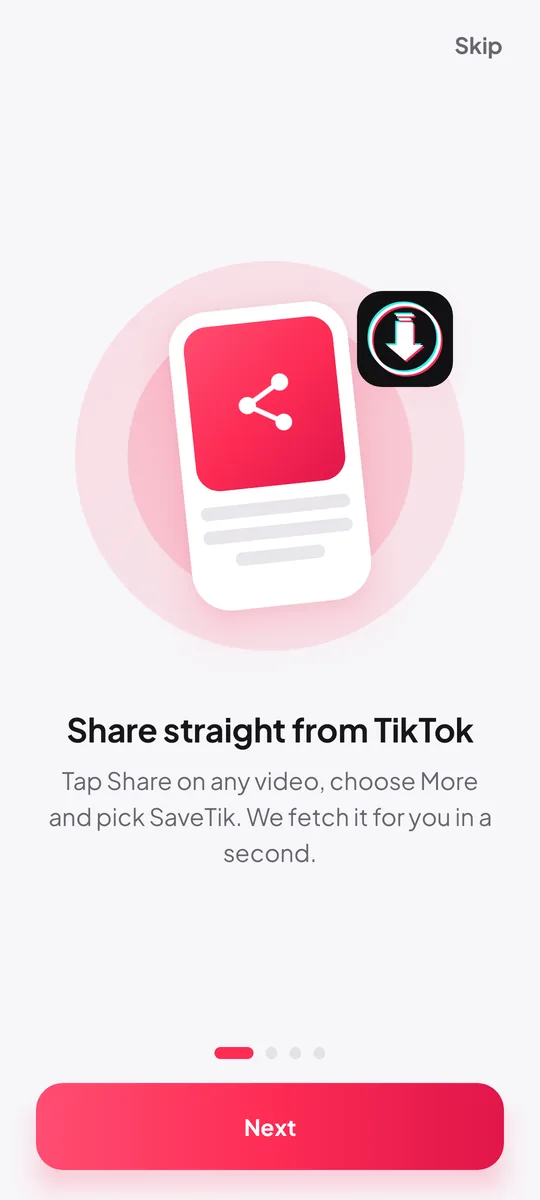
Share to SaveTik
- In the TikTok app, open the video you want to keep.
- Tap Share, then More (or Other) and choose SaveTik.
- SaveTik opens and fetches the video automatically.
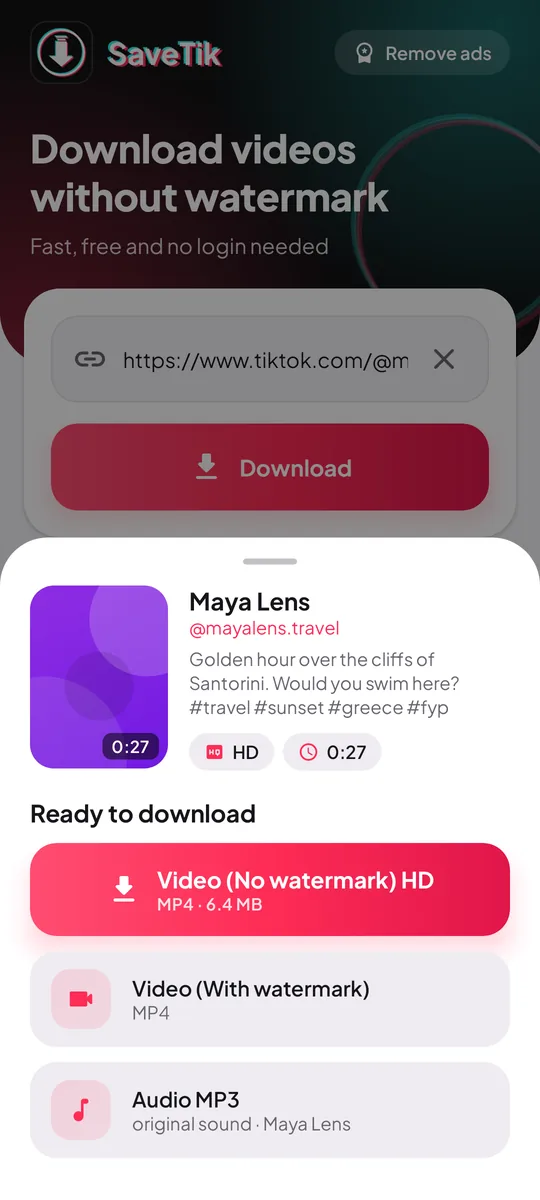
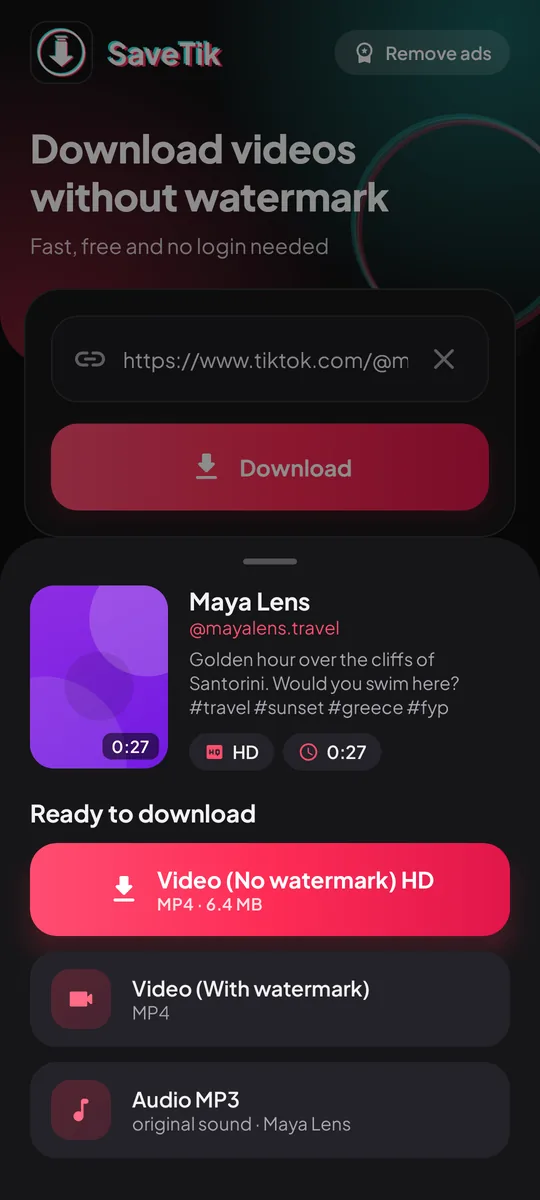
- Pick Video (No watermark) HD, Video (With watermark) or Audio MP3.
Copy the link
- In TikTok, tap Share, then Copy link.
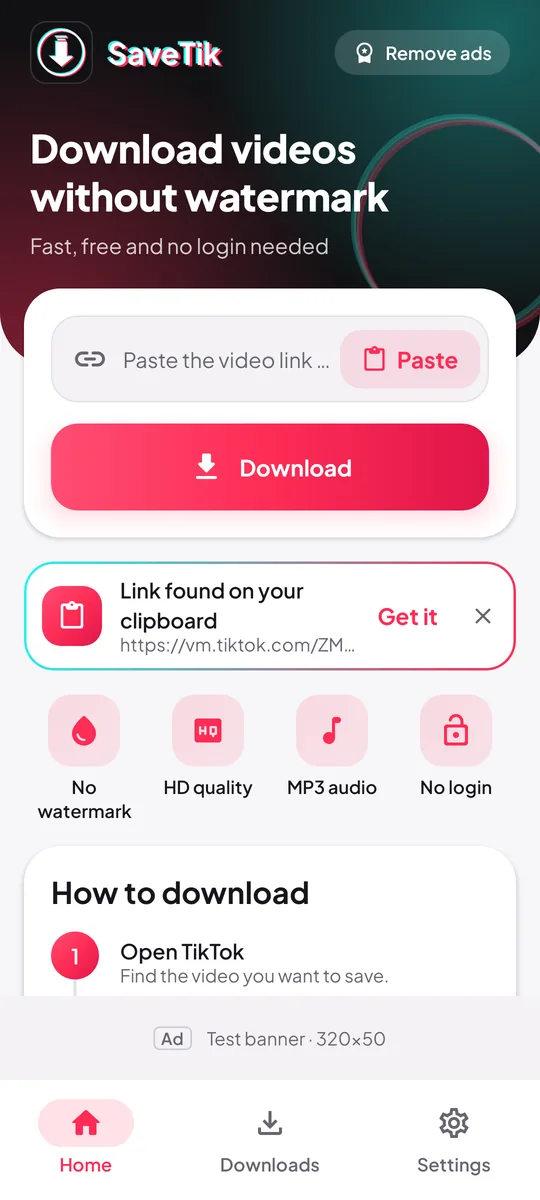
- Open SaveTik. The copied link is detected and fetched for you.
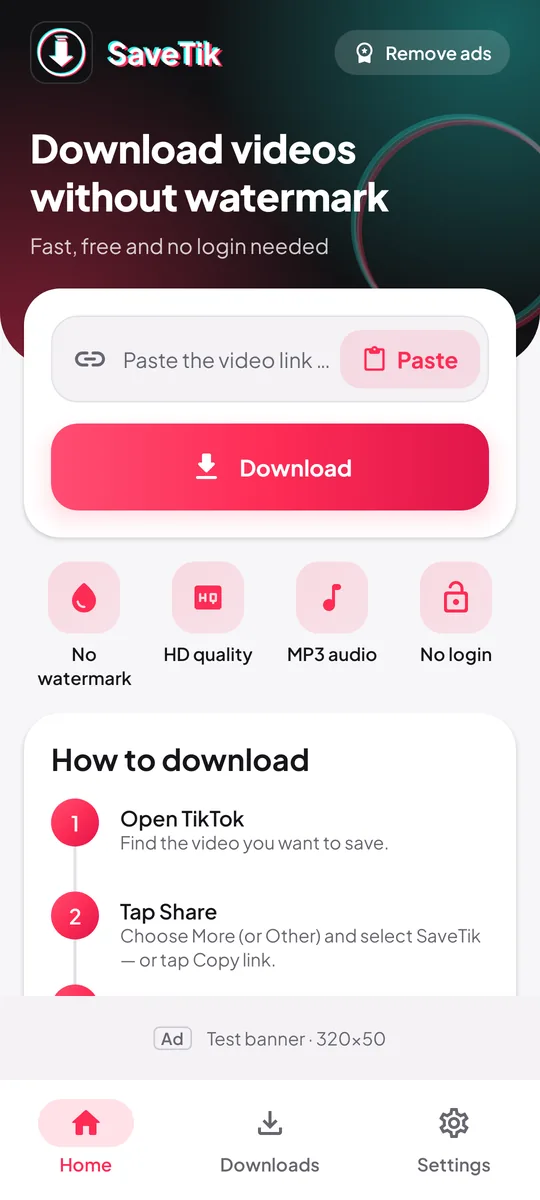
- Prefer to do it by hand? Paste the link into the box and tap Download.
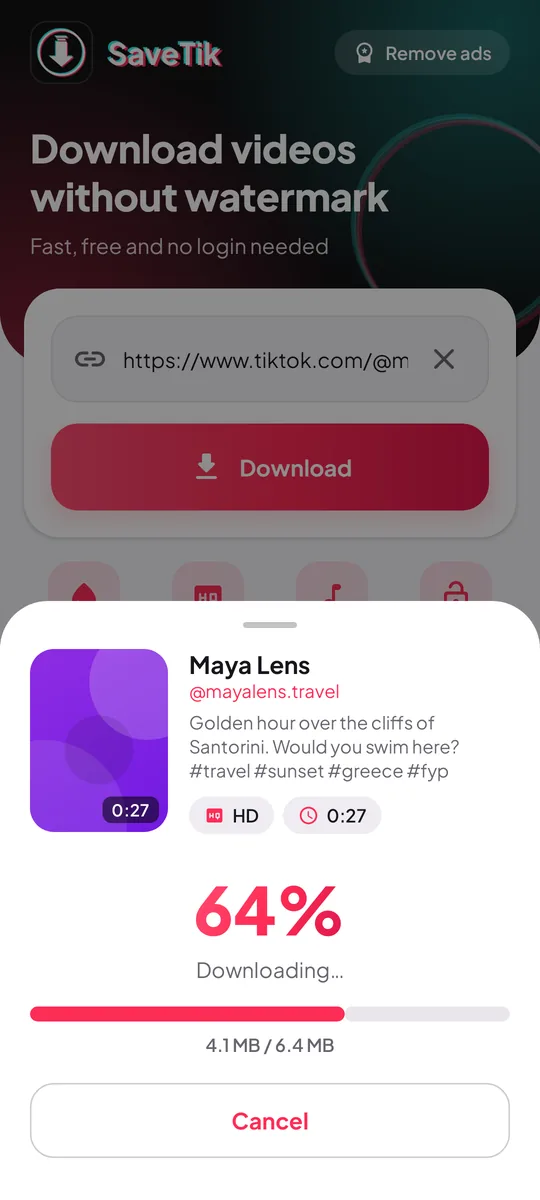
- Choose your format and the file lands in your gallery.
Features
Everything you need, nothing you don't
Share straight to the app
Pick SaveTik from the TikTok share sheet and skip copying and pasting altogether.
Auto-detects copied links
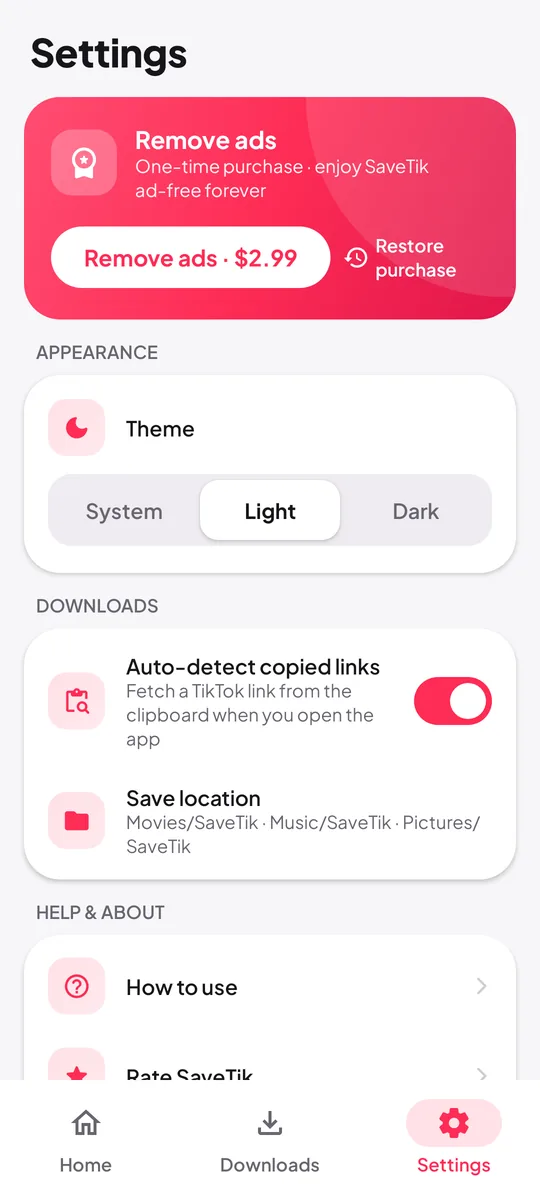
Copy a link, open SaveTik and it's already on the way. You can switch this off in Settings.
No-watermark HD video
Save the clean HD version when it's available, or the original with the watermark if you prefer.
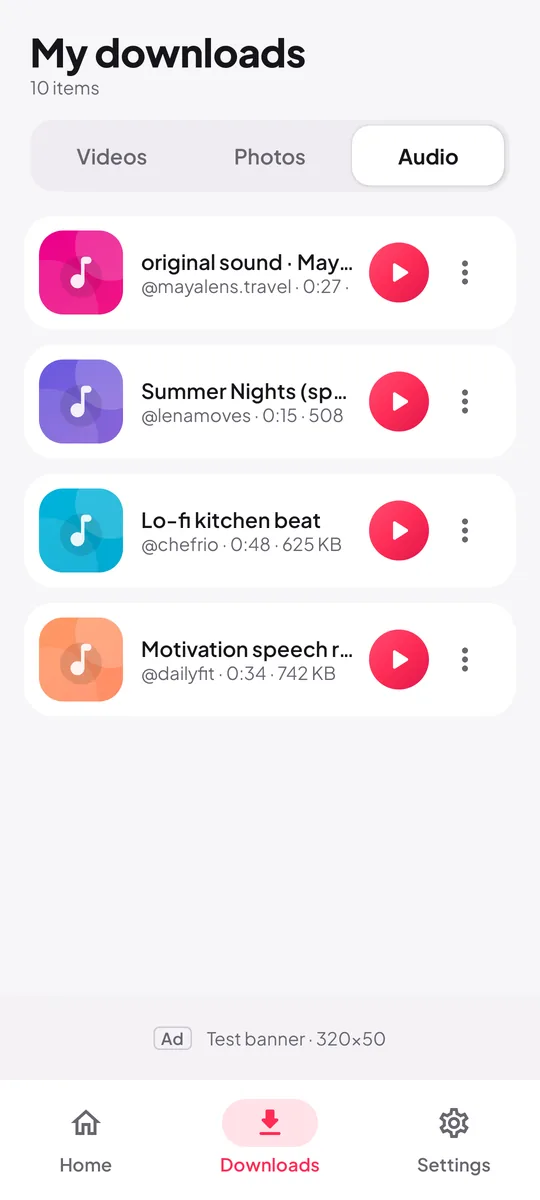
MP3 audio
Keep just the sound as an MP3. Photo and slideshow posts can be saved as images too.
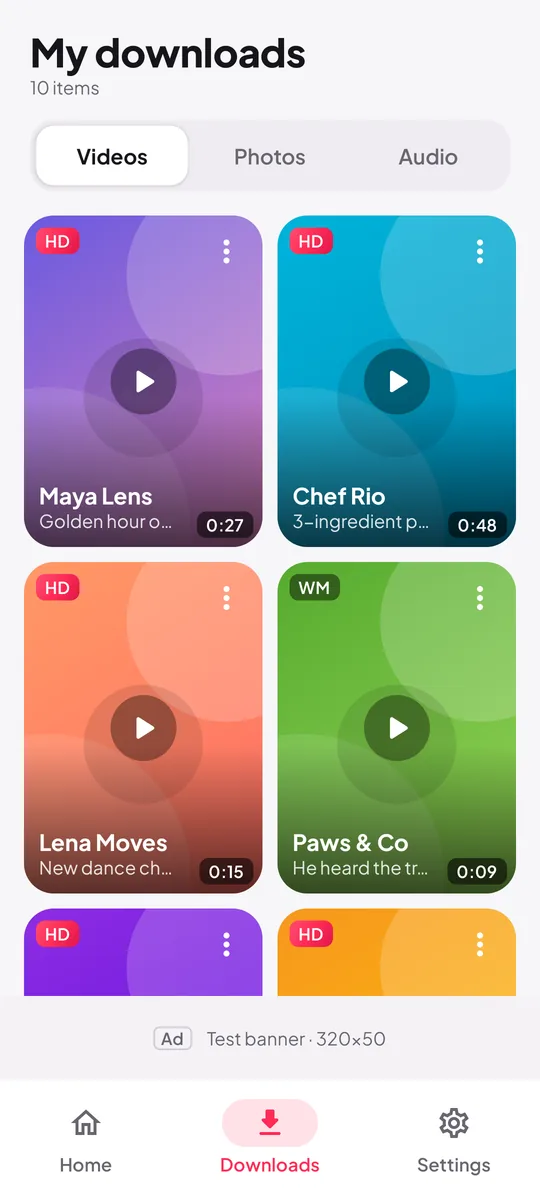
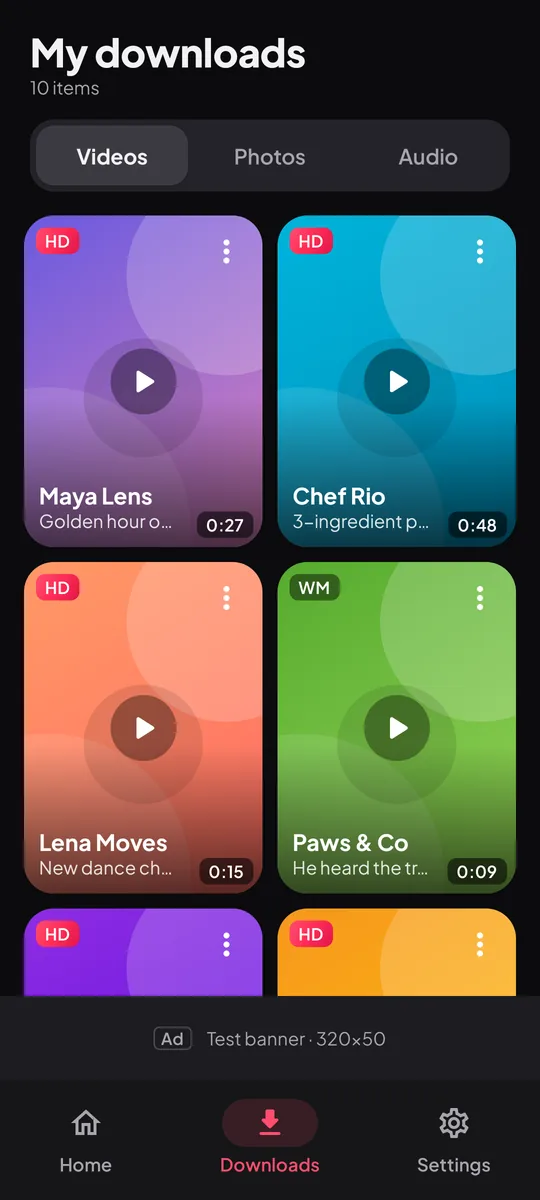
Downloads library
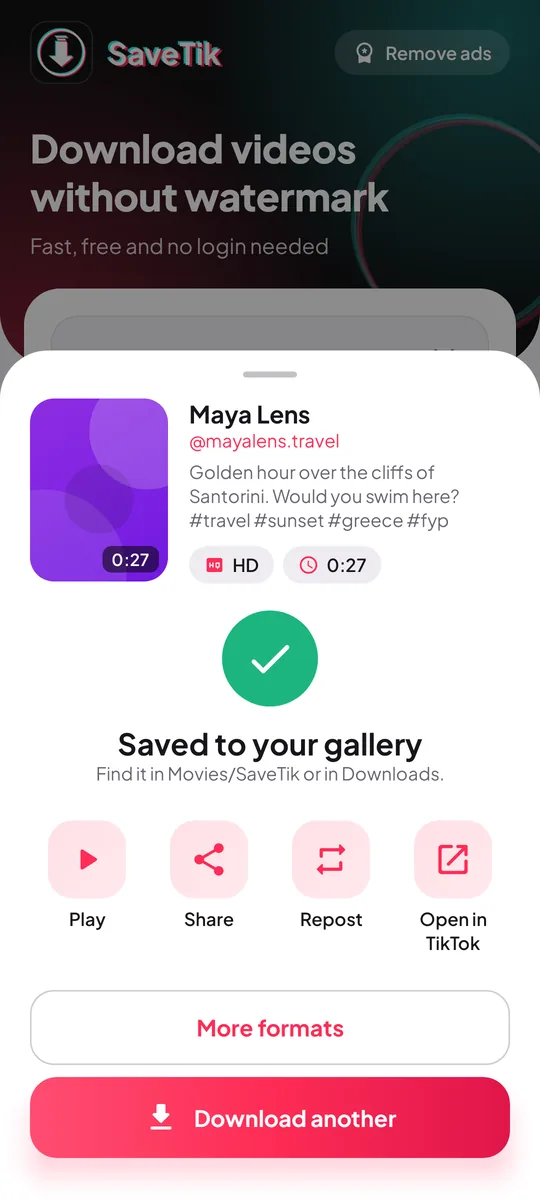
Watch your saves offline in the built-in player, then share, repost or open the original in one tap.
Light and dark theme
Follow your system setting or choose light or dark yourself. Available in English and Spanish.
Files are saved to Movies/SaveTik, Music/SaveTik and Pictures/SaveTik, so they show up in your gallery and in the app's Downloads tab.
Screenshots
A closer look
Scroll sideways to see more
Pricing
Free to use. Ad-free if you like.
Every feature is unlocked from day one. If you'd rather not see ads, remove them once and you're done.
- Every feature unlocked — HD, MP3, library, share-to-app
- No subscription, no paywall
- A banner ad and an occasional full-screen ad after a download
- Ads from Google AdMob, with consent where required
- No ads, anywhere in the app
- No subscription, pay once
- Restore it on a new phone with the same Google account
Purchases are handled by Google Play, which shows the final price in your local currency before you pay. Refunds follow Google Play's refund policies.
Privacy
Privacy, in short
The full details are in the SaveTik privacy policy. Here are the essentials.
No account
No sign-in, and we never ask for your name, email or phone number.
Files stay on your phone
Your downloads and library are stored on your device, never uploaded to us.
Only the link is sent
To find the files, the TikTok link you submit is sent to the tiktokdownload.io lookup service.
Ads by Google AdMob
The free version uses your advertising ID for ads, with consent where required. No analytics SDKs.
FAQ
Frequently asked questions
Can't find your answer? Email contact@nimbulyapps.com and we'll help.
Is SaveTik free?
Yes. SaveTik is free of cost — every feature is unlocked from day one. The free version shows ads; you can turn them off for good with a one-time “Remove ads” purchase (US$2.99, or the local price Google Play shows you).
Do I need a TikTok account or a SaveTik account?
No. SaveTik has no sign-in of its own and doesn't need you to be logged in to TikTok. You only need the link to a public post.
Where are my downloads saved?
Videos go to Movies/SaveTik, audio to Music/SaveTik and photos to Pictures/SaveTik. You'll find them in your gallery and in the Downloads tab inside the app.
Why can't a particular video be downloaded?
Private, deleted and region-restricted posts can't be saved. If a public video still fails, try again in a minute. If it keeps failing, email us the link at contact@nimbulyapps.com.
Does SaveTik read my clipboard?
When you open the app, SaveTik checks the clipboard on your phone for a TikTok link. Anything else is ignored, and nothing is stored or sent. If you'd rather tap to fetch a copied link yourself, turn off Auto-detect copied links in Settings.
Can I save photo and slideshow posts?
Yes. For photo posts SaveTik offers Save all photos plus the MP3 audio.
I bought “Remove ads”. How do I get it back on a new phone?
Sign in to Google Play with the same Google account, install SaveTik and tap Restore purchase in Settings.
Which Android versions are supported?
Android 7.0 (Nougat) and later.
Is SaveTik made by TikTok?
No. SaveTik is an independent app by Nimbuly Apps and is not affiliated with, endorsed by or sponsored by TikTok or ByteDance Ltd.
Legal and policies
Independent app. SaveTik is not affiliated with or endorsed by TikTok or ByteDance Ltd. “TikTok” is used only to describe the links the app works with. Download only content you own or have permission to save, and respect the rights of creators. Rights holders can reach us through our copyright page.